
We Spent 3 Weeks Testing 18 Laptop Cooling Pads to Find the Best Models for 2026
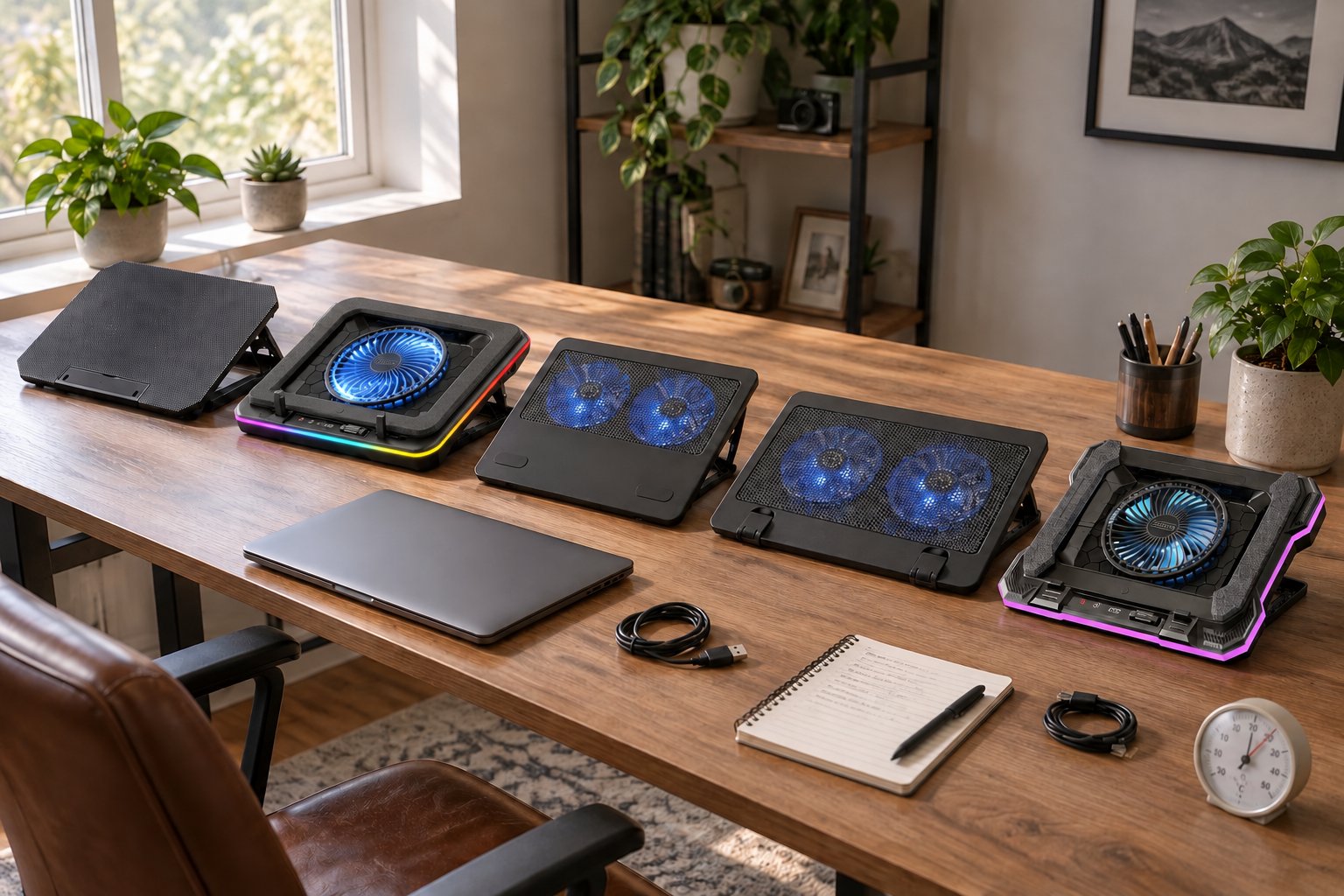
A laptop that runs hot under your fingers is more than uncomfortable. Heat makes processors slow themselves down, can cause crashes that cost you unsaved work, and over time wears out internal parts. Picking a cooling pad isn't easy either: many cheap plastic stands do little to help.
A good cooling pad tackles thermal throttling, the slowdown that hurts gaming frame rates and productivity, before it starts. Whether you're editing high-resolution video or playing a competitive shooter, the right pad helps keep your hardware within safe temperatures.
Over three weeks, we compared 18 laptop cooling pads on the features that matter most for keeping a laptop cool, comfortable and quiet. Below are the standards we used to rank all 18, followed by the five that came out on top for 2026.
Our Evaluation Standards
Thermal Efficiency
How much each pad lowers surface temperatures under heavy loads.
Acoustic Performance
How loud the fans are, so you get airflow without a distracting drone.
Ergonomic Adjustability
How many height angles are available to ease neck strain and improve posture.
Build Durability
Whether materials like aluminum alloy and sturdy plastics will hold up to daily use.

Daniel R — Consumer Electronics & Laptop Accessories Writer
Daniel covers practical technology accessories for everyday laptop users, students, professionals, and gamers. His reviews focus on cooling-pad design, airflow, noise levels, ergonomics, compatibility, and everyday usability, helping readers understand the differences between available products.
1. AeroLap Laptop Cooling Pad
from AeroLap
Overall Grade
A+
Rating
9.8/10
Overall Analysis
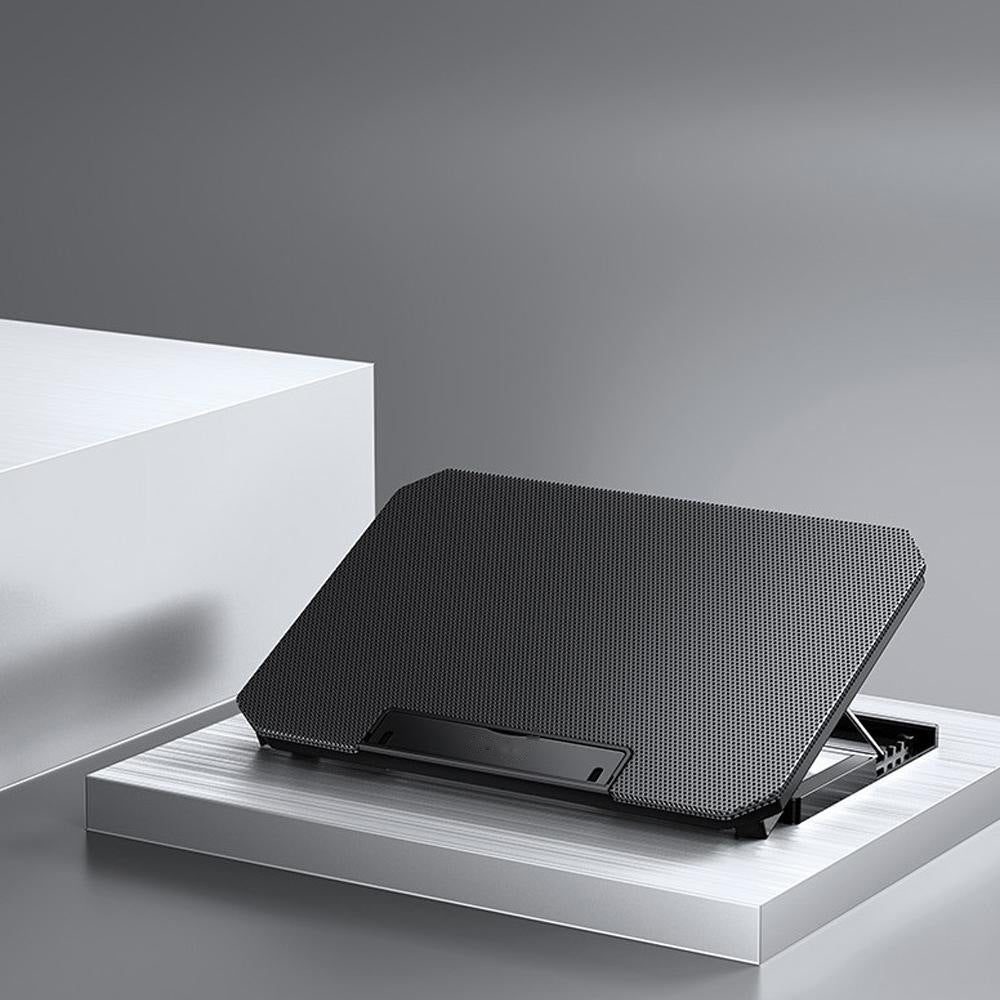
The AeroLap Laptop Cooling Pad is our top pick for 2026. Its full-size universal design fits virtually any laptop, and a Turbo Twin Fan system moves a large volume of air underneath it. An aluminum alloy surface absorbs heat and helps carry it away from the laptop's internal components.
The manufacturer states that its dual-engine design can lower temperatures by up to 20°C. The turbo fans and duct design aim airflow where it is needed most, which helps prevent thermal throttling and crashes during demanding games or long renders.
A four-level height adjustment lets you raise the screen and keyboard to a more comfortable angle, which can ease back and neck stiffness during long work sessions or movie marathons.
Two USB ports are built in: one powers the pad from your laptop, and the other stays free for a mouse, keyboard or storage drive, so you don't lose a port to the cooler.
The metal surface acts as an extra heat sink rather than trapping warmth like plastic stands, and the low-noise fan design keeps distraction to a minimum even at higher speeds.
If you want strong airflow, quiet operation and adjustable ergonomics in one package, the AeroLap is the most complete option in this guide. It is popular and often sells out, so check availability early.
Pros
 Turbo Twin Fan system for strong airflow
- Manufacturer-rated temperature drop of up to 20°C
- Aluminum alloy surface for heat absorption
- Four adjustable height levels for comfort
- Dual USB ports for extra devices
- Quiet operation even at higher fan speeds
- Universal fit for most laptop sizes
- Durable metal construction
- Turbo fan design for focused cooling
- Helps prevent thermal throttling and crashes
Cons
 Often out of stock due to demand
Wrap-Up
The AeroLap Laptop Cooling Pad earns the top spot for its strong twin-fan airflow, aluminum build and adjustable height. Stock is often limited, so check availability early.
2. llano Laptop Cooling Pad
from llano

Overall Grade
B+
Rating
8.7/10
Overall Analysis
The llano RGB Laptop Cooling Pad is built around a large 14cm turbo fan paired with sealed foam. The seal directs air into the laptop's vents instead of letting it escape around the sides.
Its all-round cooling design is meant to keep temperatures in check during demanding gaming sessions, even in warm rooms. An RGB light bar with 10 modes and four colors adds a gaming look.
Touch controls and an LED display let you change fan speed and lighting with a tap and see your current settings at a glance, without interrupting what you're doing.
A 1-in, 3-out USB hub adds ports, and adjustable height settings support better posture during long sessions. It pairs a powerful single fan with premium features and a striking desk presence.
Pros
- Large 14cm turbo fan
- RGB lighting with 10 modes
- Touch control panel
- Built-in 3-port USB hub
- Multiple height levels
- Memory function saves your settings
- Non-slip design keeps the laptop secure
Cons
- Fan noise increases at higher speeds
- Limited RGB color options
3. TECKNET Laptop Cooling Pad
from TECKNET
Overall Grade
B
Rating
8.1/10
Overall Analysis
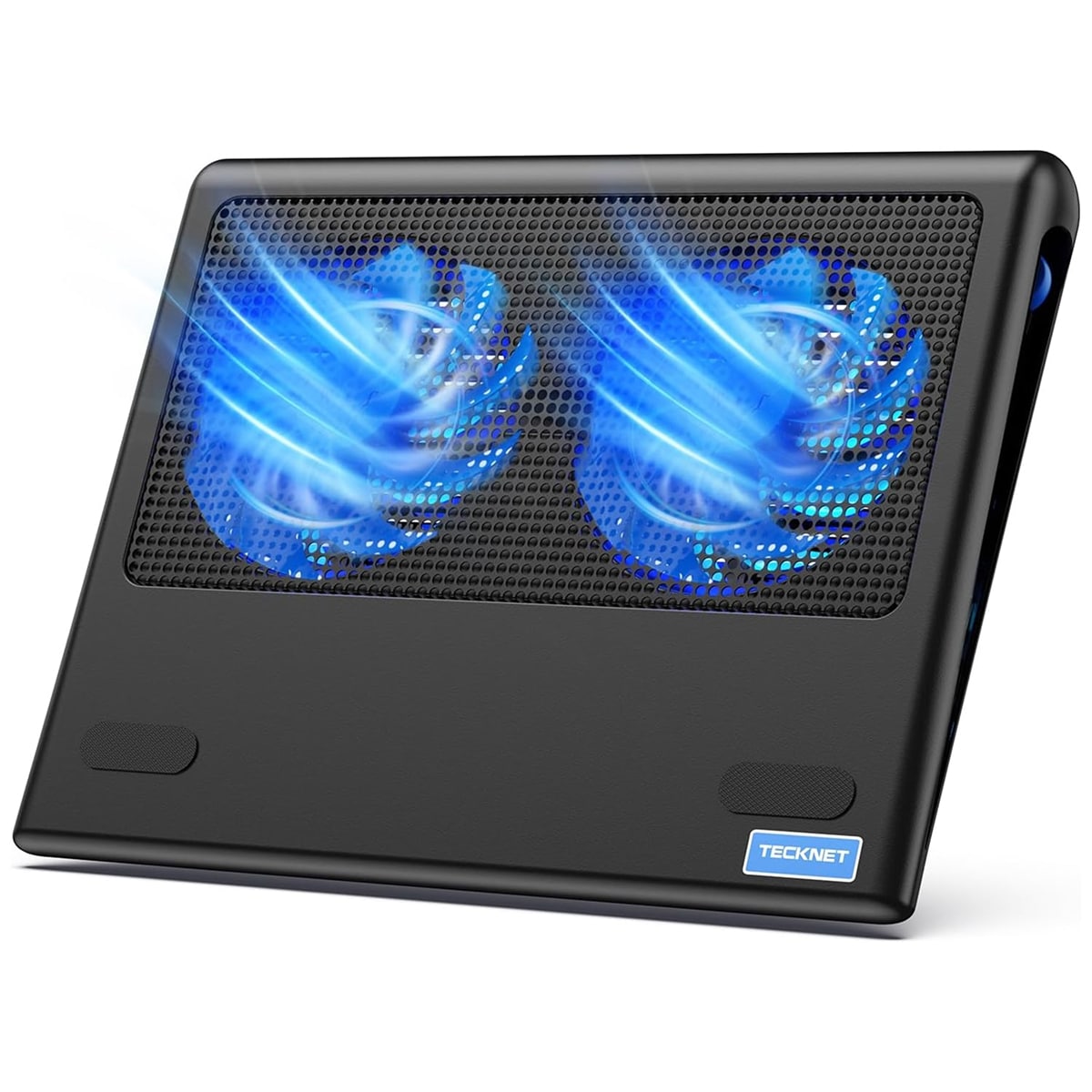
The TECKNET Laptop Cooling Pad takes a balanced approach, with two fans in a lightweight frame. Its metal mesh surface lets the fans pull air through freely and gives the laptop a stable base.
Adjustable fan speed lets you trade cooling power for quieter operation, which suits people who switch between office work and gaming. Six height settings offer more angles than most pads at this price.
Dual USB ports keep your connectivity, and blue LEDs add a subtle look. The fans are placed to cover common hot spots on 15- and 17-inch laptops.
It won't match the biggest temperature drops of the top models, but its slim profile and ease of use make it a practical pick for students and travelers, and it fits in most large laptop bags.
Pros
- Durable metal mesh surface
- Six height adjustment levels
- Dual USB ports
- Fits most laptop sizes
- Quiet enough for offices
- Easy to carry in a laptop bag
Cons
- Limited cooling for extreme gaming
- Basic LED lighting only
- Higher price in its category
4. Thermaltake Laptop Cooling Pad
from Thermaltake
Overall Grade
C+
Rating
7.5/10
Overall Analysis
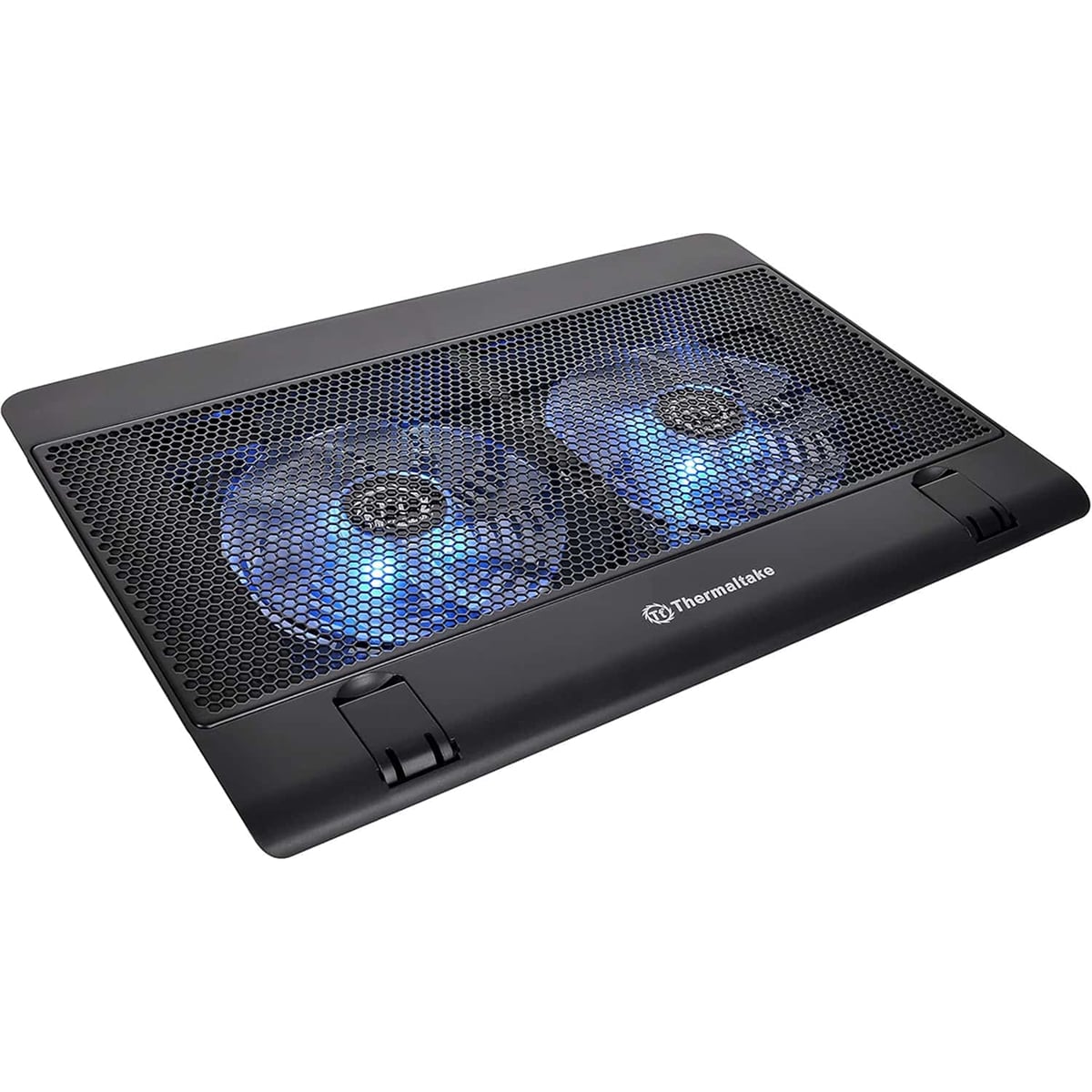
The Thermaltake Laptop Cooling Pad is described in the original review as using a large 200mm fan. A big fan moves plenty of air at lower speeds, which keeps noise down in quiet rooms.
A temperature sensor adjusts fan speed automatically based on heat, so the fans speed up only when the laptop is working hard. A metal mesh surface helps dissipate heat and gives it a solid feel.
Built-in cable management keeps the USB power cable tidy, and adjustable height settings help with posture. The stand stays stable even at its highest angle.
It focuses on airflow and build quality rather than flashy extras, making it a dependable middle-ground choice. It is bulkier than some rivals, so it's better suited to a desk than a bag.
Pros
- Large fan for broad coverage
- Automatic temperature-based fan control
- Solid, stable build
- Integrated cable management
- Multiple height settings
- Low noise at standard speeds
Cons
- Few customization options
- Pricier than simpler pads
- Bulky and less portable
- Less targeted cooling for specific hot spots
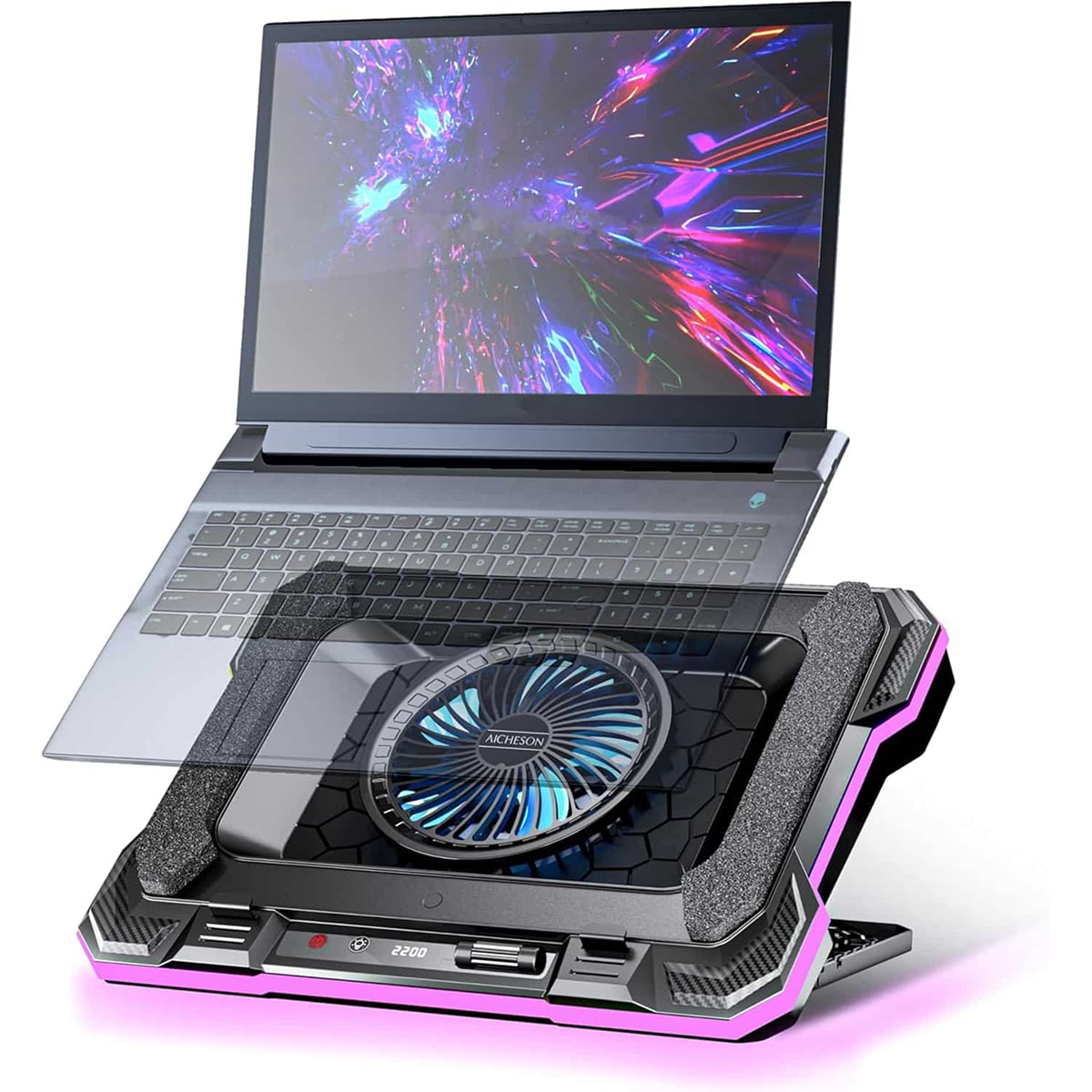
5. AICHESON Laptop Cooling Pad
from AICHESON
Overall Grade
C
Rating
7.1/10
Overall Analysis
The AICHESON Laptop Cooling Pad pairs a gaming look with practical features at a budget price. The original review describes a quad-fan layout that sends airflow toward the CPU and GPU areas.
A metal mesh platform supports airflow, and adjustable rear feet offer several viewing angles to reduce neck strain. LED lighting adds a gaming feel without the cost of full RGB.
A dual USB hub lets you plug in a mouse or flash drive directly, which helps on laptops with few ports. It is compact enough for a backpack.
The fans can be louder than premium models, but it moves a lot of air for its size. It's a straightforward option for budget-conscious gamers.
Pros
- Multi-fan cooling layout
- Durable metal mesh
- Multiple height adjustments
- Portable design
- Built-in USB hub
Cons
- Louder at high speeds
- LEDs can't be switched off
- Limited support for very large laptops
- Plastic frame feels less premium
- Limited fan speed control
What is a Laptop Cooling Pad?
A laptop cooling pad is an external accessory that lowers a laptop's operating temperature. Most are a platform with built-in fans that blow cool air against the bottom of the laptop.
Their main job is to prevent thermal throttling, where the computer slows its processor to avoid heat damage. Steady airflow helps the hardware keep running at full speed.
Most models also adjust in height, tilting the keyboard and screen to a more comfortable angle and reducing strain on your neck and wrists at a desk.
With today's demanding games and creative software, cooling pads help protect components like the motherboard and battery by keeping them within safe temperatures.
Benefits of a Laptop Cooling Pad
- Lower operating temperatures for safer use
- Fewer performance drops from thermal throttling
- More comfortable typing and viewing angles
- Longer hardware lifespan
- Extra USB ports on many models
- Better long-term battery health
- Efficient airflow without distracting noise
- A stable, non-slip surface that's safer than your lap
Things to Consider When Choosing a Laptop Cooling Pad
Fan size and number
Larger fans move air more quietly; multiple fans give targeted cooling.
Surface material
Aluminum dissipates heat better than plain plastic.
Noise level
Check the decibel rating so the fans won't disrupt your work or games.
Portability
Consider weight and thickness if you'll carry it in a bag.
Laptop size
Make sure the pad is wide enough for your laptop.
Power source
Most pads run on USB, so look for a pass-through port.
Adjustable angles
Aim for at least three or four height settings.
What to Avoid When Choosing a Laptop Cooling Pad

Cheap, thin plastic
Flimsy frames can vibrate loudly and do little for heat.
Ignoring fan placement
Make sure the fans line up with your laptop's air intakes.
Overlooking noise
Some budget models are very loud.
Sacrificing stability
Avoid wobbly stands your laptop could slide off.
Poor USB hubs
Low-quality hubs can cause mouse or keyboard connection problems.
Daniel R — Consumer Electronics & Laptop Accessories Writer
Daniel covers practical technology accessories for everyday laptop users, students, professionals, and gamers. His reviews focus on cooling-pad design, airflow, noise levels, ergonomics, compatibility, and everyday usability, helping readers understand the differences between available products.